 PromptBloom
AI-generated example · Results may vary.
Illustrative AI edit of a synthetic source photograph created for this tutorial. Both before and after are fictional, not recovered historical evidence. Compare carefully: AI editing can change fine details. The exact editing prompt is recorded below.
View synthetic before photo
This fictional source was generated for the editing demonstration.
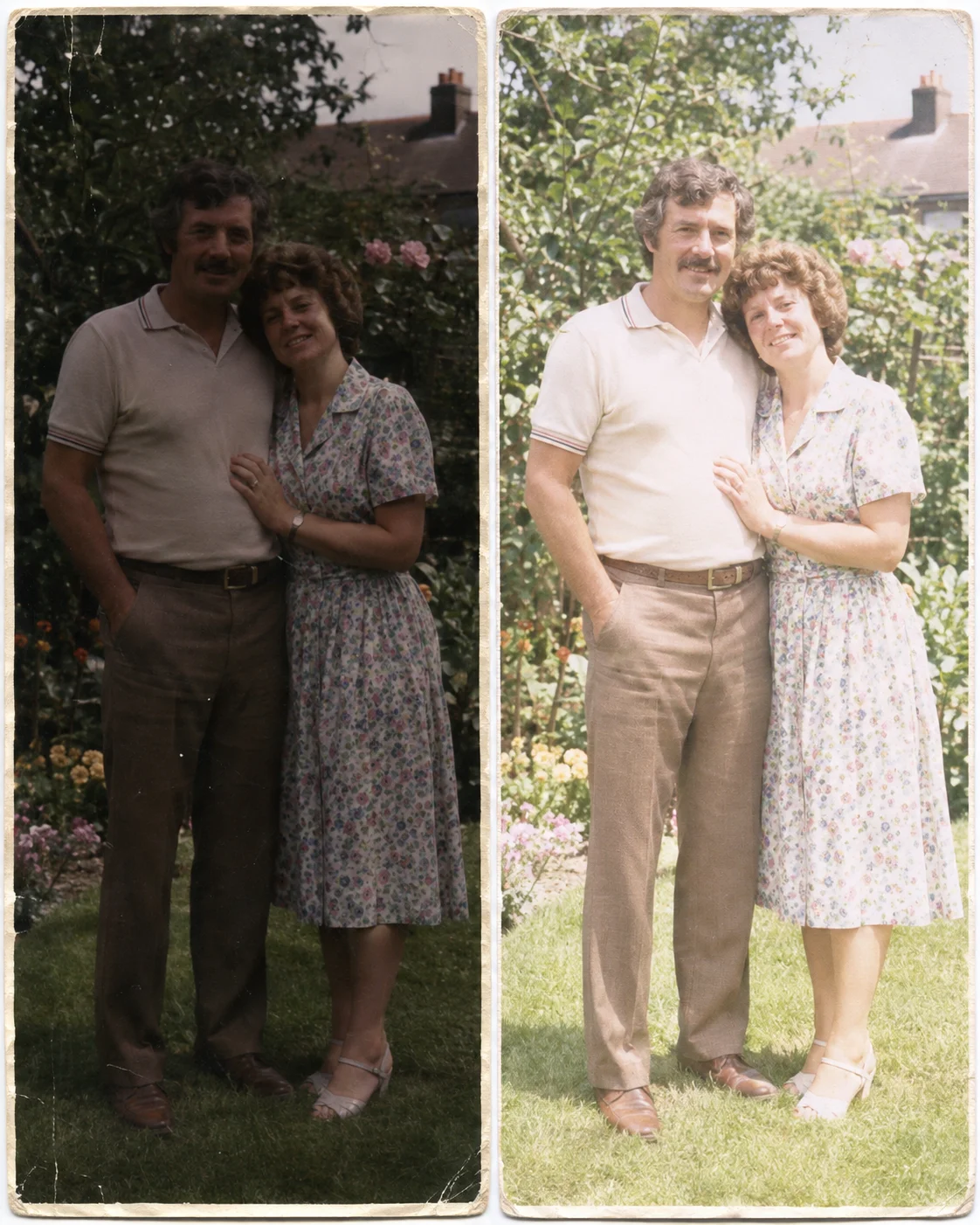
Photo Restoration & Enhancement FREE
Match exposure across a family photo set
Match exposure across a family photo set. A detailed creative brief with composition, materials and practical quality checks.
Before you create
- Read the reference guidance below.
- Copy the prompt and adjust the subject, lighting or mood to suit your idea.
- Paste into your chosen image tool, then refine one detail at a time.
- Reference photo
- Upload the photograph you have permission to edit.
- Suggested tools
- Example generated with the built-in image-generation tool. Other image tools may produce different results.
- How to use this prompt
- Check the repaired version against the original at full size; reject invented detail.
Customizable details: Lighting, Colour Palette, Mood, Composition. Use the customization controls on this page.
PromptBloom is free. External image tools may charge separately. Use only photos you have permission to use.
Your prompt
Edit the supplied photograph conservatively. Task: match exposure across a family photo set. Preserve the original identity, facial structure, age, clothing, composition and period-specific details. Work only with information visible in the source. Do not reconstruct missing faces, invent lettering, colourize monochrome originals or add objects. Retain plausible photographic texture and leave genuinely missing detail unresolved. Return one repaired image at the original aspect ratio; the suggested display crop is optional.
Intended result & limits
Apply a restrained edit to a photo you have permission to use, preserving identities and visible historical detail.
The before-and-after example is synthetic. Missing details may be invented by an editor, so compare carefully with your original photograph.
Tool-test records
Example generated; external tool compatibility is not yet verified. No model-specific test badge has been assigned.
Improve the result
Hands and anatomy
Keep the face, identity, outfit and composition unchanged. Correct only the visible hands and anatomy; give each hand a natural pose and the correct number of fingers.
Clothing and jewellery
Keep identity and skin tone unchanged. Simplify the clothing layers and jewellery, separate overlapping elements, and preserve the intended regional styling.
Lighting and skin tone
Use one coherent main light direction with believable shadows. Retain the subject’s original skin tone and natural texture; avoid excessive smoothing or brightening.
Facial likeness
If your editor supports reference photos, use a clear permitted adult reference. Preserve recognisable facial proportions and age while changing only the requested styling.
These are suggested editing instructions. Availability and results depend on your chosen tool.
Was this prompt helpful?
One tap helps surface useful ideas. Your choice stays anonymous and you can change it.
Make it yours Customize this prompt
Change one decision, change the direction.
One precise change can move the same starting point in a new direction.
- Recommended ratio
- 4:5
- Reference photo
- Upload the photograph you have permission to edit.
- Try in
- Example generated with the built-in image-generation tool. Other image tools may produce different results.
- How to use
- Check the repaired version against the original at full size; reject invented detail.
- Avoid
- Unwanted text, watermarks, duplicated objects, distorted anatomy, inconsistent perspective and misleading claims.
About this example
Illustrative AI edit of a synthetic source photograph created for this tutorial. Both before and after are fictional, not recovered historical evidence. Compare carefully: AI editing can change fine details. The exact editing prompt is recorded below.
Exact generation prompt
Edit the supplied photograph conservatively. Task: match exposure across a family photo set. Preserve the original identity, facial structure, age, clothing, composition and period-specific details. Work only with information visible in the source. Do not reconstruct missing faces, invent lettering, colourize monochrome originals or add objects. Retain plausible photographic texture and leave genuinely missing detail unresolved. Return one repaired image at the original aspect ratio; the suggested display crop is optional.


